The Remote Team Onboarding Slide Deck: Workplace Preferences
Transitioning a remote team—or stepping into a new management role—comes with a unique challenge: building trust and psychological safety without a shared physical office. When team members work across different locations and time zones, establishing clear communication styles and working norms early on is essential.
Using a structured manager remote work template simplifies and streamlines understanding how to help your team form.
Why the “Forming” Stage Matters for Remote Teams
According to Tuckman’s stages of group development (Forming, Storming, Norming, Performing), every team must move through distinct psychological phases to reach high performance.
The Forming stage is characterized by orientation, high anxiety, and testing boundaries. In a remote or hybrid environment, this stage can drag on indefinitely if communication remains transactional.
A dedicated onboarding slide deck acts as a structured icebreaker that addresses key forming-stage goals:
- Reduces Uncertainty: Clarifies leadership expectations, preferred communication channels, and meeting cadences.
- Accelerates Relationship Building: Encourages team members to share professional backgrounds, strengths, and personal working styles.
- Establishes Psychological Safety: Normalizes discussions around boundaries, focus time, and feedback preferences.
Simple Template with only the Essentials
For a manager, you shouldn’t spend time and money on an expensive psychological or personality test. Start simple. The Workplace Preference template is a quick way to build a knowledge base for your team.
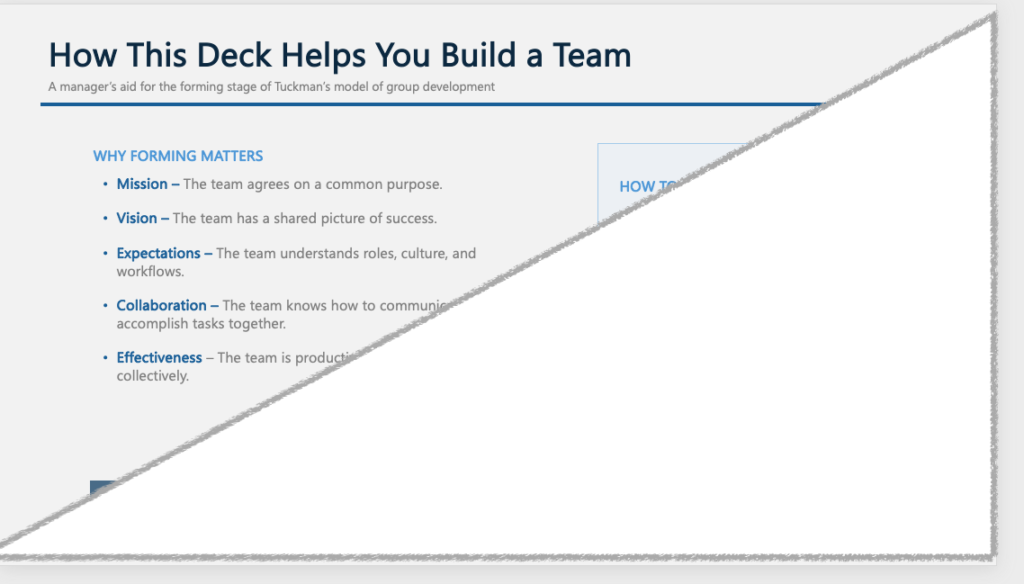
1. Team Member Profiles
Dedicate slides for team members to fill out their own profile cards, including:
- Hometown
- College and Degree
- Years in Role
2. Workplace Preferences
Allow each team member to express their best working environment:
- Essential Questions:
- How do you work best?
- How do you like to receive new projects?
- What makes a meeting valuable for you?
- And more…
- Free Text Responses: Each question has a space for team members to write their responses. There are examples written for each question.
3. Team Charter
Align the entire group on day-to-day expectations:
- Charter Categories:
- Team Mission/Vision
- Team Expectations
- Team Collaboration
- Team Connection
How to Run Your Remote Team Kickoff Session
- Send the Slide Ahead of Time: Share the Profile Example Slide and Workplace Preference Slide 48 hours before your meeting to be filled out in advance.
- Host an Interactive 45-Minute Session: Walk through the overview slides first, then give each team member 2–3 minutes to present their profile card.
- Store the Deck in a Shared Workspace: Keep the completed presentation easily accessible in your team’s central repository (e.g., Notion, Google Drive, or SharePoint) so new hires can reference it later.
Download the Team Builder – Workplace Preference Template
Skip the prep work and kick off your team transition smoothly. Download our customizable Remote Team Onboarding Slide Deck: Workplace Preferences to establish clear norms, build trust, and guide your team through the forming stage effortlessly.